

Business Intelligence for Customer Insights: Turning the Data You Already Own into Decisions
Your ERP, CRM and POS already hold your customer insights. See where they live, which question each system answers, and when BI won’t help.
Business intelligence for customer insights is the practice of turning the operational data your business already collects across ERP, CRM and point-of-sale systems into a clear picture of who your customers are and what they will do next. This guide shows where those insights live, which customer questions each system answers, and when BI won’t help.
Most articles on this topic sell you a platform. This one starts from the data you already own, because in the UAE that data is usually sitting unused inside software you’re already paying for.
What is business intelligence for customer insights?
Business intelligence for customer insights is a reporting and analysis layer that sits on top of your transactional systems and answers questions about customer value, behaviour and risk. It is not a new database you fill by hand. It reads the records your ERP, CRM, e-commerce and POS already generate, then shapes them into segments, trends and forecasts a manager can act on before the next quarter, not after it.
The distinction that trips up most operators: BI is a lens, not a source. It only reveals what your systems have already captured. If your POS never records which staff member closed a sale, no dashboard will ever tell you your best closer. Insight quality is a data-capture problem first and a reporting problem second.
Customer intelligence vs business intelligence — what’s the difference?
The terms customer intelligence vs business intelligence get used interchangeably, and the mix-up quietly wastes budgets. Business intelligence is the broad discipline of turning any operational data into decisions — revenue, inventory, cash flow, and customers. Customer intelligence is the slice of it aimed only at understanding the customer.
| Business intelligence | Customer intelligence | |
|---|---|---|
| Scope | The whole business — finance, operations, supply chain, customers | The customer relationship only |
| Typical question | “Where is margin leaking this quarter?” | “Which customers are about to churn?” |
| Data sources | Every system you run | CRM, POS, e-commerce, support tickets |
| Owner | Finance / operations leadership | Sales, marketing, customer success |
You need both, but you buy them in that order. A retailer with no reliable revenue reporting should not be building churn models yet. Get the business-wide picture stable, then narrow the lens to the customer.
Where customer insights actually live in the systems you run
Here is the part the platform vendors skip. You do not start customer data analysis by buying a customer-data tool. You start by mapping the three systems that already hold customer behaviour, and reading what each one is honestly able to answer. Across our Odoo and Dynamics rollouts in the UAE, ERP360 finds the same pattern: the insight a client wants is usually already recorded — just never joined up.
Your ERP holds the transaction record
The ERP is the source of truth for what a customer actually bought, at what margin, on what terms, and how reliably they pay. That makes it the only honest source of customer value. Marketing may love a customer who buys often; the ERP will tell you that customer returns 40% of orders and pays 60 days late. Value lives in the ledger, not the campaign report. A connected Odoo ERP platform turns those postings into per-customer profitability without a separate export.
Your CRM holds the relationship record
The CRM records intent and history — enquiries, quotes, response times, open opportunities, complaints. It answers “what is this customer trying to do, and are we responding?” On its own it over-weights noise: a loud prospect who never buys looks important. Joined to the ERP’s value data, it becomes a real pipeline view. A CRM built for UAE sales teams that logs WhatsApp and email threads is where most Gulf B2B relationship data actually accumulates.
Your POS and online store hold the behaviour record
Point-of-sale and e-commerce hold the richest behavioural signal — basket contents, time of day, channel, repeat rhythm, and what sells together. This is where segmentation and product-affinity insight come from. An Odoo-based online store and a connected POS give you the same customer identity across counter and web — the join most retail and e-commerce operations are missing.
The map, in one view:
| System | The customer question it answers | The insight it produces |
|---|---|---|
| ERP | Who is genuinely profitable to serve? | Customer lifetime value, payment risk, true margin |
| CRM | Who wants to buy, and are we responding? | Pipeline health, response-time gaps, at-risk accounts |
| POS / e-commerce | What, when and how do they actually buy? | Segments, basket affinity, repeat rhythm, channel mix |
Business intelligence for customer insights is simply the layer that joins these three records to one customer identity and reports across them.
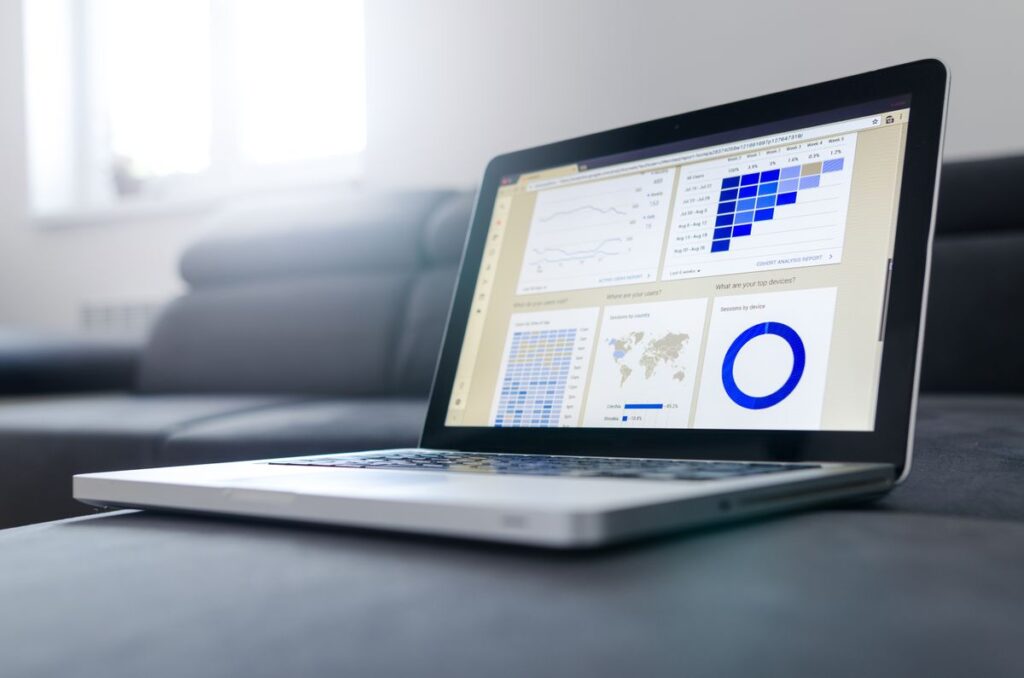
Joining ERP, CRM and POS data into one customer identity is the core of business intelligence for customer insights.
How does business intelligence improve customer experience?
Business intelligence for customer insights improves customer experience by making the invisible customer visible to the person who can act. That is the whole mechanism, and how business intelligence improves customer experience in practice comes down to one discipline: every insight needs an owner and a trigger.
Customer segmentation is the clearest example. Splitting customers into groups — high-value repeat buyers, lapsing regulars, one-time discount hunters — is easy. The value appears only when a specific segment routes to a specific action: the lapsing-regulars segment triggers a call from account management, not a slide in a monthly deck. An insight with no owner and no trigger is decoration.
That is the honest test for any customer dashboard you are shown: who acts on this, and when? If the answer is “we’ll review it in the meeting,” the dashboard will be ignored within a month. We have watched it happen. The dashboards that survive are the ones wired to a workflow.
Customer behavior analysis: what the numbers say about intent
Customer behavior analysis reads patterns in what customers do to estimate what they will do next. It runs on a ladder of difficulty, and most businesses should climb it in order rather than leaping to the top.
- Describe what happened: sales by segment, repeat rate, average basket.
- Diagnose why it happened: which promotion drove the spike, which SKU carried the basket.
- Predict what will happen: which accounts show pre-churn signals, what next month’s demand looks like.
- Prescribe what to do about it: the recommended action, ranked by expected return.
Predictive analytics for customer behavior — the churn scores and demand forecasts — is where the excitement lives, but it is only trustworthy once the describe-and-diagnose layers are clean. A churn model built on messy transaction data predicts noise with confidence. Get the foundation right first; the AI and automation layer that generates predictions is worth adding only once the underlying records are reliable.
When business intelligence won’t help
Business intelligence for customer insights is a lens, and there are three situations where buying a better lens is the wrong spend.
Your data isn’t captured. If the behaviour you want to analyse was never recorded, no tool recovers it. The fix is a data-capture change at the source, not a dashboard.
You won’t act on the answer. If leadership already knows the answer and hasn’t acted on the unprofitable client everyone protects, the channel nobody will cut — BI just documents the avoidance more precisely. The blocker is decision-making, not information.
Your question is a one-off. If you need to answer something once, a single analyst query answers it in an afternoon. A BI platform earns its cost on questions you ask every week, not once a year.
Saying this loses ERP360 the occasional project. It also means the projects we do take actually pay back, which is the only reputation worth having in this market.
A five-minute check for each of your systems
Before you scope any BI work, test whether the insight you want is even reachable. Open each system and answer one question:
- ERP — can you pull profit (not revenue) for your top 20 customers in under five minutes? If not, your value picture is broken before any BI starts.
- CRM — can you list every open opportunity with no activity in 30 days? If not, your pipeline is a guess.
- POS / e-commerce — can you see the same customer’s purchases across your counter and your website as one person? If not, your behaviour data is fragmented and segmentation will double-count.
Three “no”s means the work is data foundation, not dashboards. Two or fewer means you are ready for a reporting layer.
Frequently asked questions
Q: What are the four types of customer analytics?
The four types of customer analytics are descriptive (what happened), diagnostic (why it happened), predictive (what will happen next), and prescriptive (what to do about it). They form a ladder of increasing difficulty and value. Most businesses should master descriptive and diagnostic reporting on clean data before investing in predictive or prescriptive models, which depend entirely on the quality of the layers beneath them.
Q: What data do you need for customer insights?
The data you need for customer insights already exists in three places: your ERP (transactions, margin, payment behaviour), your CRM (enquiries, quotes, response history), and your POS or e-commerce store (basket contents, channel, timing). Business intelligence for customer insights joins these to one customer identity. You rarely need to buy new data — you need to connect and clean what you already record.
Q: Is business intelligence just dashboards and reports?
No. Dashboards are the visible output; business intelligence is the modelling underneath — joining sources, resolving one customer across systems, and turning raw records into segments and forecasts. A dashboard with no clean model behind it is a chart, not intelligence, and it will mislead as often as it informs.
Q: Can you get customer insights without building a data warehouse?
Yes, up to a point. A well-configured ERP with connected CRM and POS can report customer insights directly for a single mid-sized business. A data warehouse becomes worthwhile when you run multiple systems that don’t share a customer identity, or when data volume slows live reporting. Start with the connected systems; add the warehouse when the join genuinely outgrows them.
Q: How soon does BI produce usable customer insights?
Usable descriptive insights typically appear within weeks of connecting clean systems, because the data already exists. Predictive models take longer — they need enough clean history to train on. The honest sequence is fast reporting first, predictions later, and any vendor promising churn scores in week one is skipping the foundation that makes them trustworthy.
Key takeaways
- The insight is already in your systems. ERP holds value, CRM holds intent, POS and e-commerce hold behaviour. Business intelligence for customer insights joins them to one customer.
- BI is a lens, not a source. It reveals only what you already capture — fix data capture before buying dashboards.
- Every insight needs an owner and a trigger. Segmentation that routes to no action is decoration.
- Climb the analytics ladder in order. Describe and diagnose on clean data before you predict or prescribe.
- Know when BI won’t help — with uncaptured data, unwillingness to act, or a one-off question.
If you want to see which of your existing systems can already answer your customer questions, ERP360’s business intelligence services in Dubai start by auditing the data you own — and any build begins with a straightforward implementation consultation, not a platform pitch.
See What Your Own Data Can Already Tell You
ERP360 audits your existing ERP, CRM and POS to show which customer questions you can already answer — before recommending a single dashboard.
Book a Data Audit